September 2025 Updates
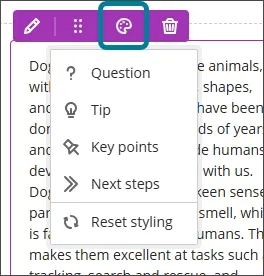
Enhance Documents with block styling options
Block styling has been added to Documents. The styling options feature both colour and icons. The style options include:
- Question
- Tip
- Key points
- Next steps
Add and manage question titles in tests, forms, and banks
Instructors can now add, view, edit and delete question titles when working on questions in tests, forms, and banks. Titles are optional and non-unique. Titles are recommended, as they enhance searchability and reuse workflows.
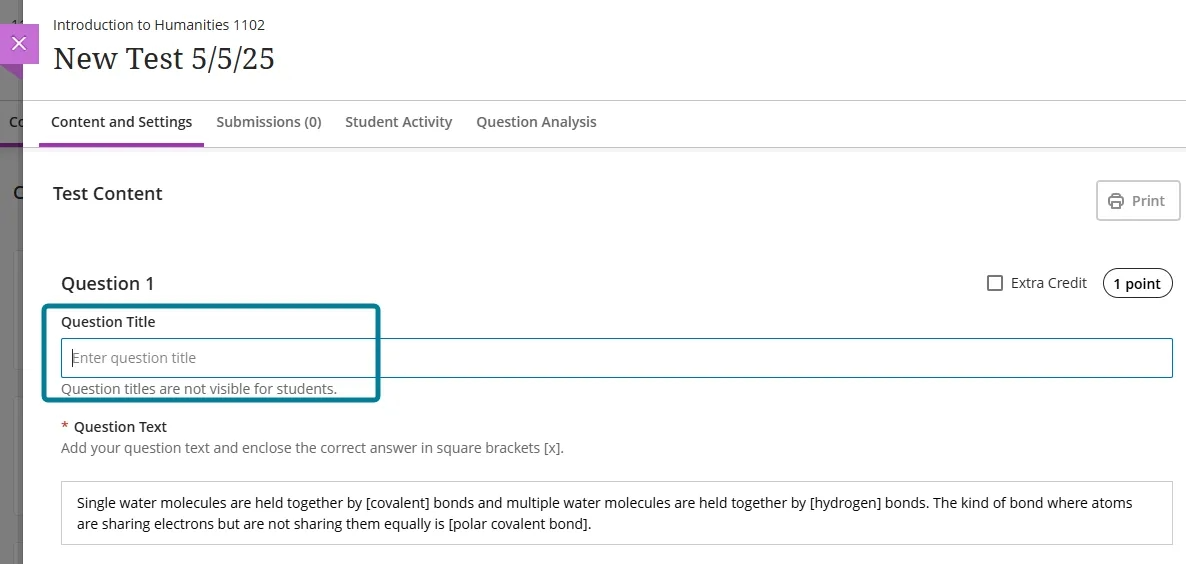
In the keyword search in the Reuse question panel, instructors can now search for questions on the question text or the question title.
Export question banks in QTI v2.1 format
Instructors and instructional designers can now export question banks in the QTI v2.1 format. This enhancement supports the IMS Question and Test Interoperability (QTI) standard, which enables the exchange of assessment content between systems.
This update allows instructors to:
- Export question banks from Ultra courses in QTI v2.1 format.
- Use exported packages in other learning platforms that support QTI.
- Simplify onboarding and migration processes by using a standards-based format.
Use pop-out rubric when grading group submissions
Instructors can now use the pop-out rubric when grading group submissions in Flexible Grading. The pop-out rubric is a separate, moveable window and formatted in a grid view. Popping out the rubric lets instructors view the student submission and the rubric side-by-side for a more efficient grading experience. Instructors can quickly select performance levels and provide feedback in the rubric while viewing the student submission.
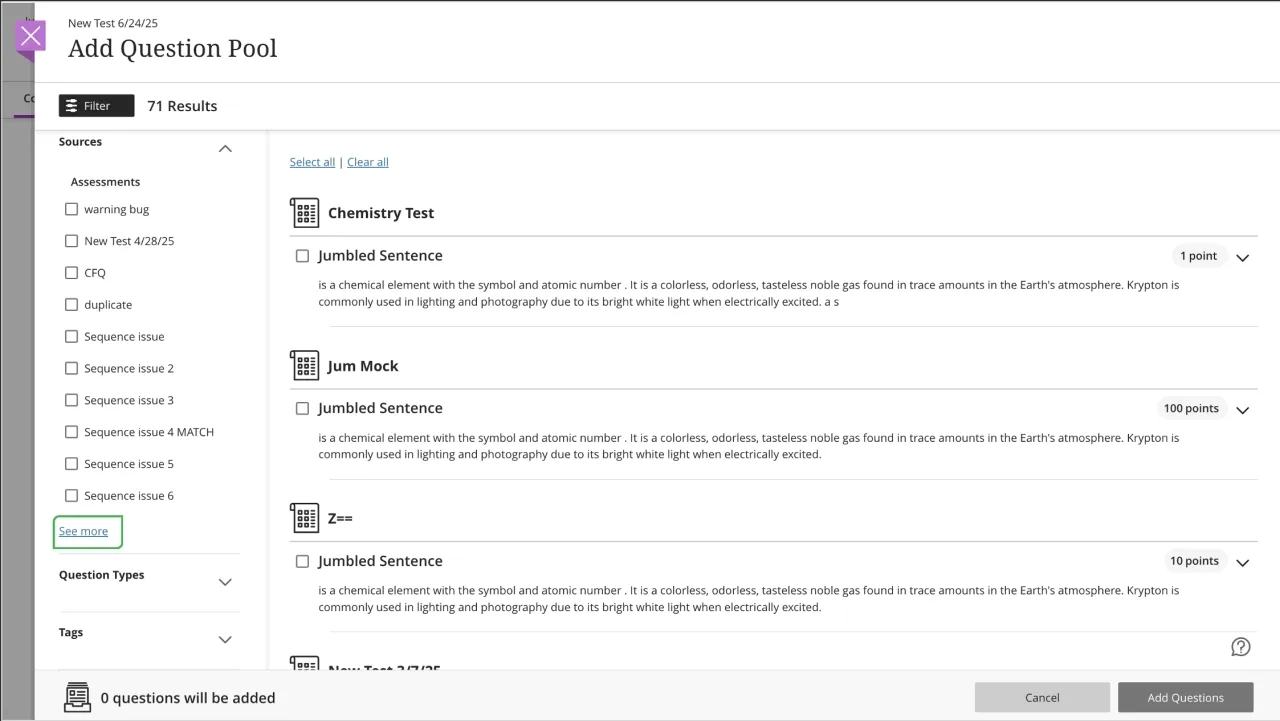
Use ‘See More’ functionality in Add Question Pool
In the Add Question Pool screen, the filter panel now includes See more functionality for Sources, Question Types, and Tags when the number of values in that filter section exceeds 10. Selecting See more expands the list, revealing the full list of values.
Improved accessibility on the Submissions list page in the Gradebook
To improve accessibility, the Submissions list page has been updated in the Gradebook to use a semantic HTML table structure. The new structure improves screen reader support and keyboard navigation.
- Screen reader users can now hear row and column headers as they navigate the table.
- Keyboard users can move efficiently across rows and columns without needing to tab through each element.
The update applies to all submission list views, including standard, individual, and peer assessments.
Grade Export: Display record range and total number of search results
The Grade Export tool now indicates which records are currently listed out of a total number of search results.

Simplify announcement creation with cleaner interface
The New Announcement page has been simplified by removing the unnecessary Recipients dropdown. With this update, the page now displays only relevant options.
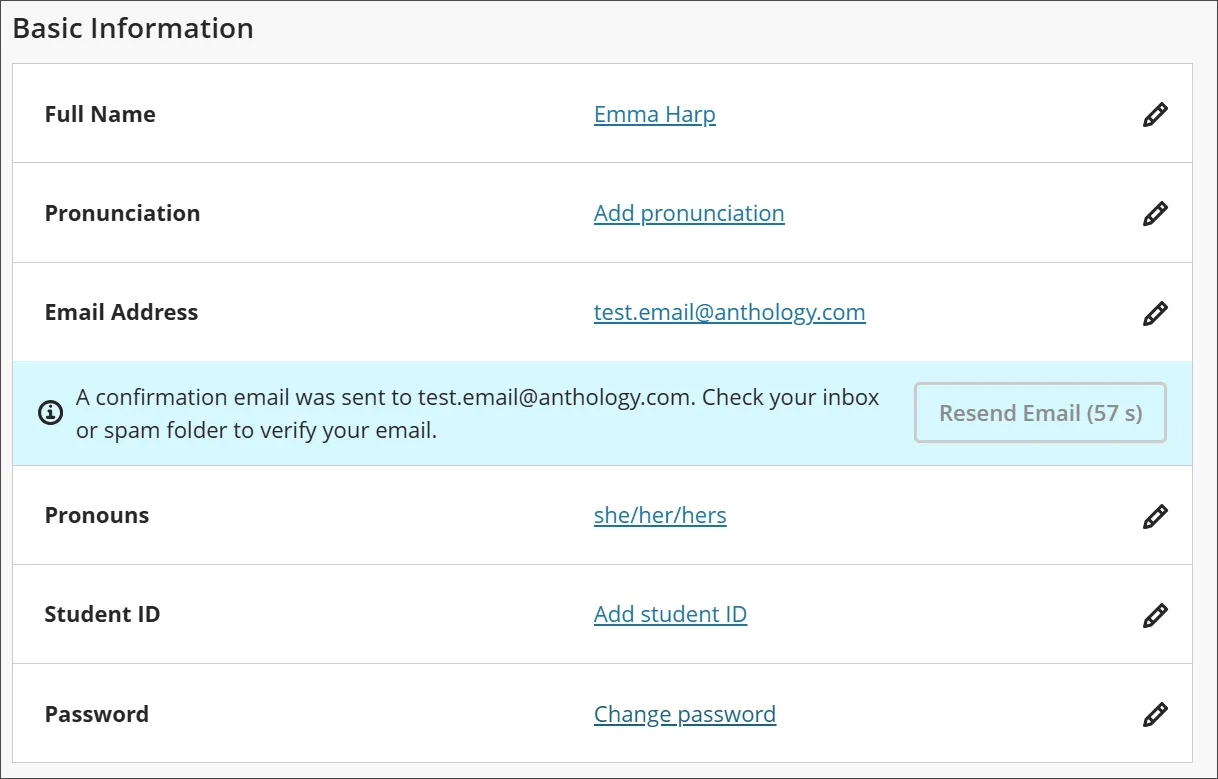
Require confirmation for updated email addresses
To enhance security and ensure reliable communication, a verification step has been added when users update their email address in Blackboard. Now, whenever a user changes their email, a confirmation message is sent to the new address. The user must verify the new email before the change takes effect.
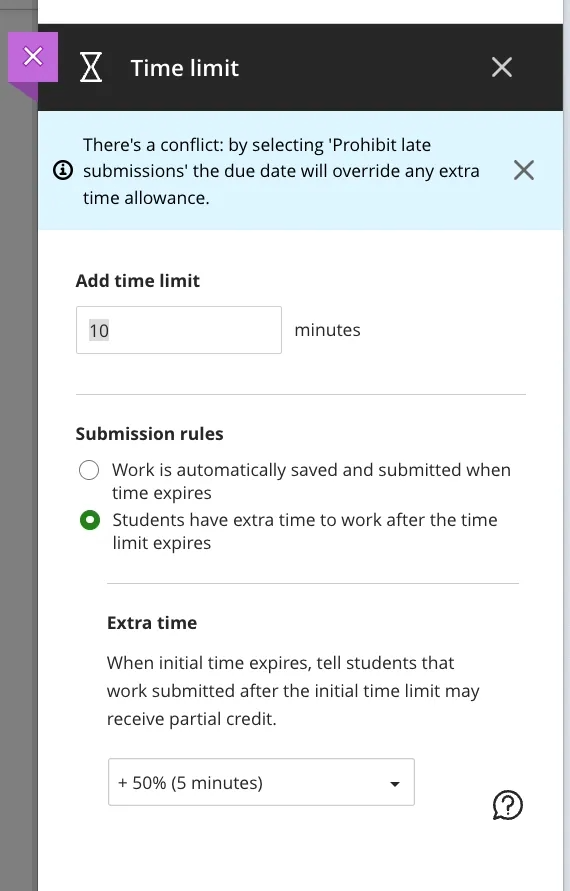
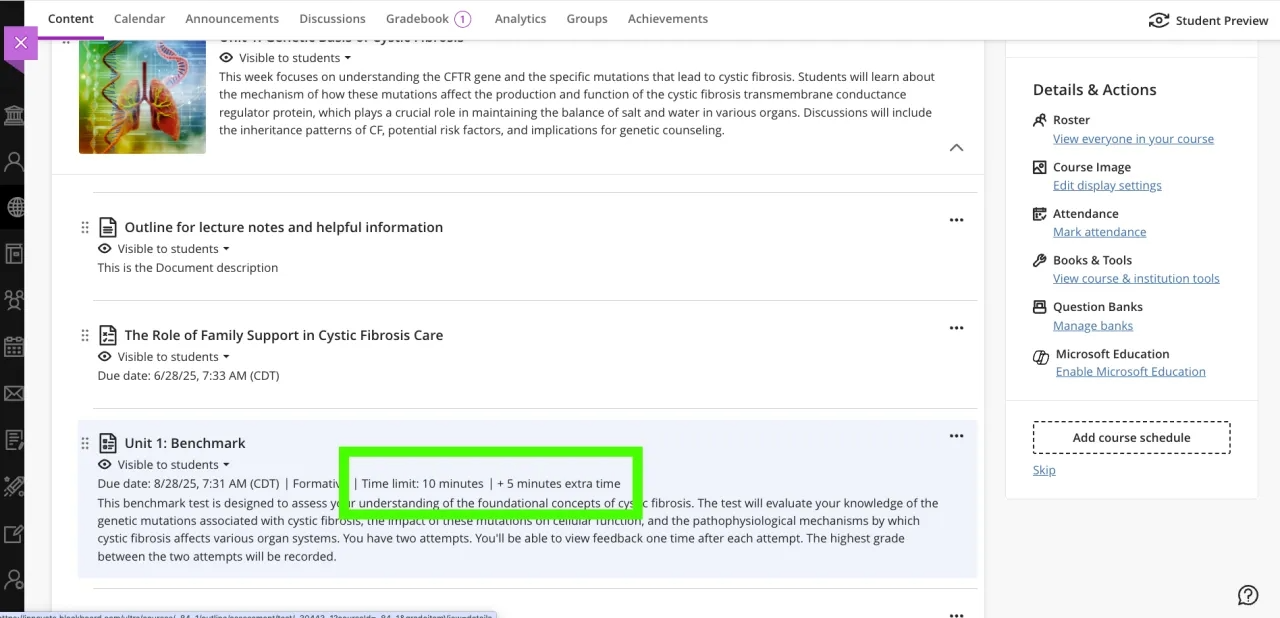
Display time limits and extra time consistently across roles
How time limits and extra time are communicated has been improved in Assessments. This change ensures that all users understand exactly how much time is available, including any accommodations or overrides.
Now, all users have the time limits and extra time presented in a consistent format:
Example: “Time limit: 20 minutes + 10 minutes extra time”
This format appears:
- When instructors configure or review assessment settings
- When students begin or review an assessment
- In the preview mode for instructors