November 2026 Updates
November improvements to the beta Content Editor in Blackboard Documents
We’ve made another round of improvements to the beta Content Editor, focused on accessibility, a more consistent toolbar, easier access to files, and more flexible authoring.
Instructors
Accessibility
- Skip navigation link. A skip navigation link now appears when you move through the Content Editor with a keyboard.
- Improved contrast for disabled toolbar actions. Disabled toolbar actions now have higher contrast.
Toolbars and menu updates
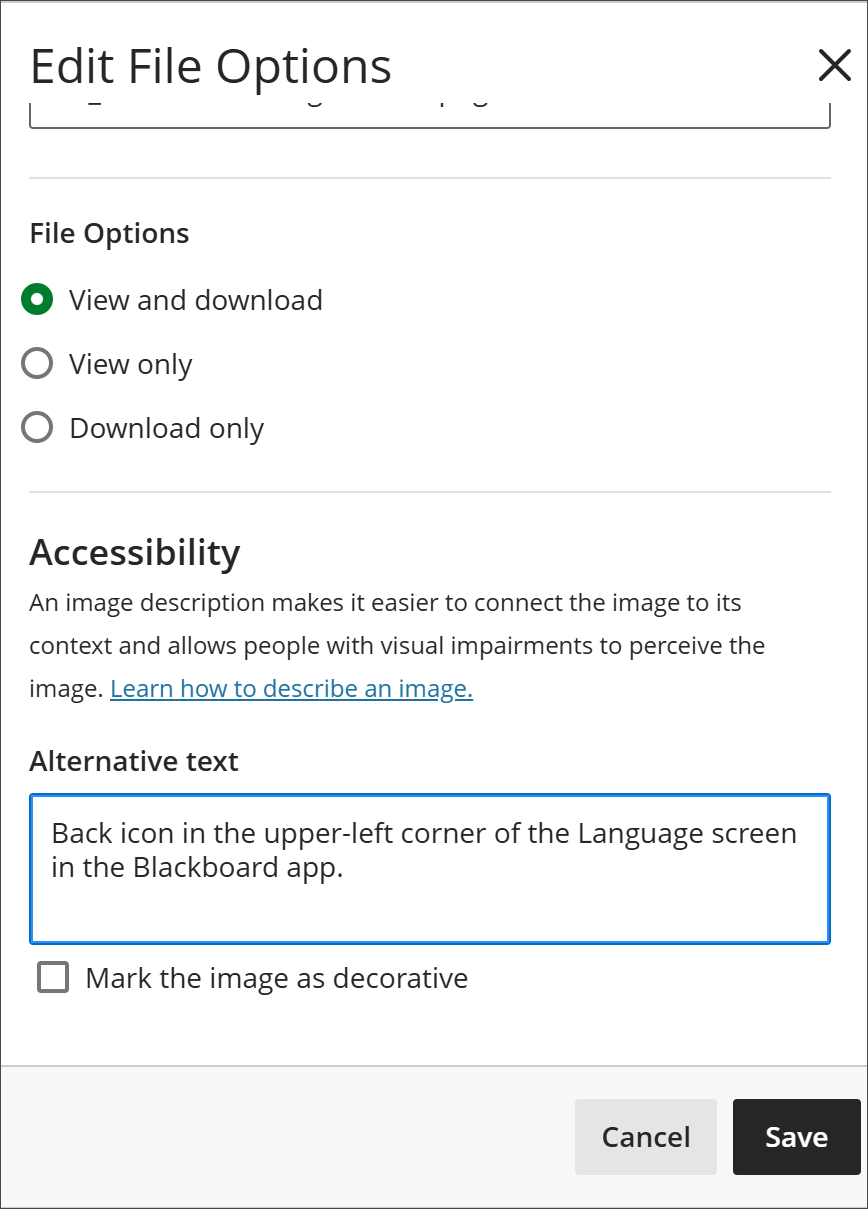
- File properties on image upload. File properties now display when you upload an image, so you can add alternative text and adjust display options before the image is inserted.
- Content Collection access. You can now access and select files directly from the Blackboard Content Collection within the Content Editor, without leaving the editor to find them.
Math authoring
- The Content Editor now supports LaTeX. The Content Editor now supports LaTeX \begin{…}…\end{…} environments.
Expand group management search capabilities
A new dual search lets instructors look up an individual student and the groups in a set at the same time, so they can instantly see which group a student is in, move them, and manage large, fully assigned group sets without losing track of anyone.
Instructor
When managing groups in a group set, instructors now have a search that covers both students and groups:
- Find any student, assigned or not. Searching for a student returns their current status, whether they’re assigned to a specific group or not yet in any group. From the result, instructors can unassign an assigned student to return them to the unassigned pool or assign a student who isn’t in a group yet.
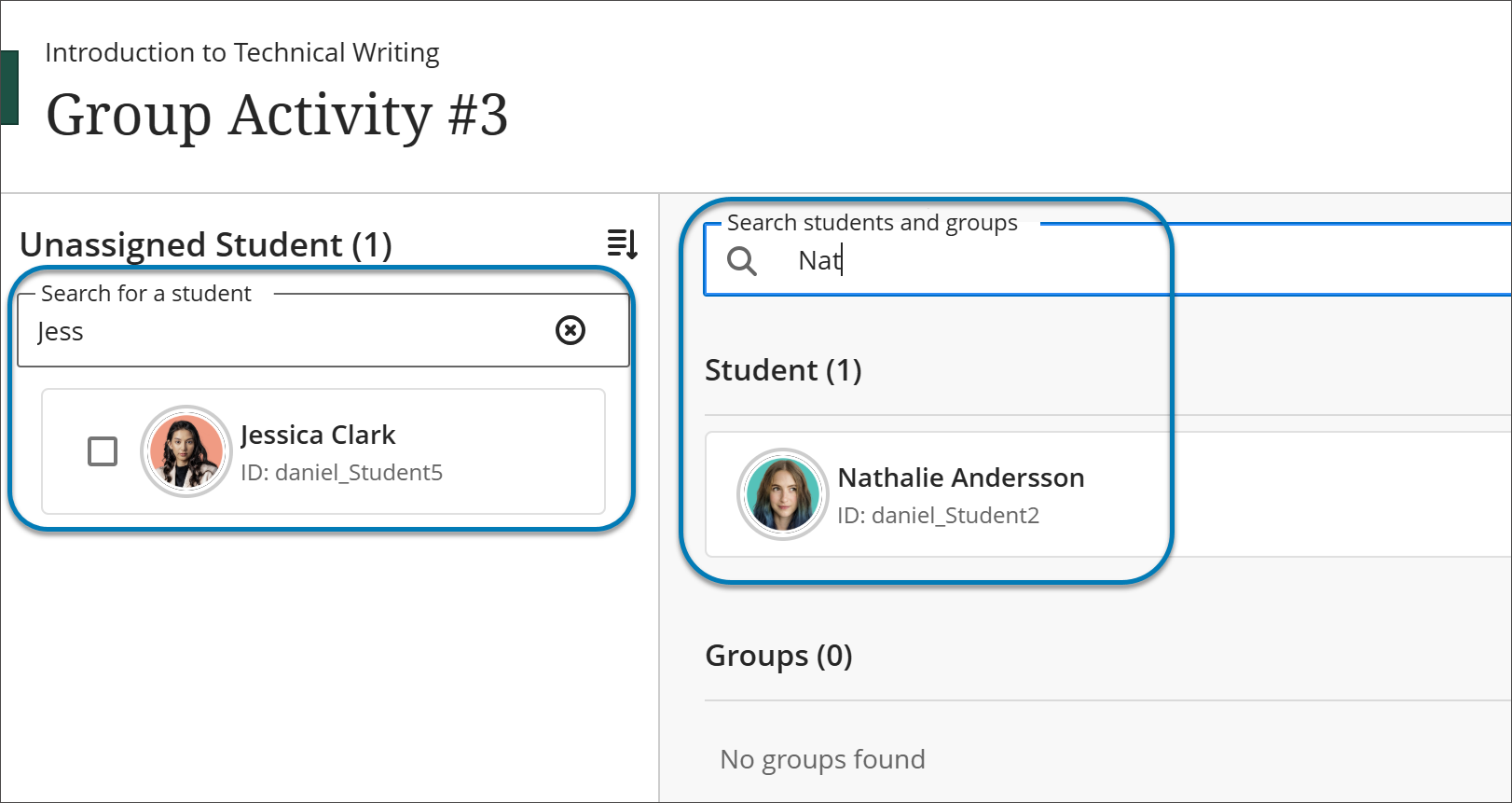
- Search for groups alongside students. Instructors can search for a group as well as a student, which makes it possible to locate a student in one search, bring up the destination group in another, and drag and drop the student into that group.
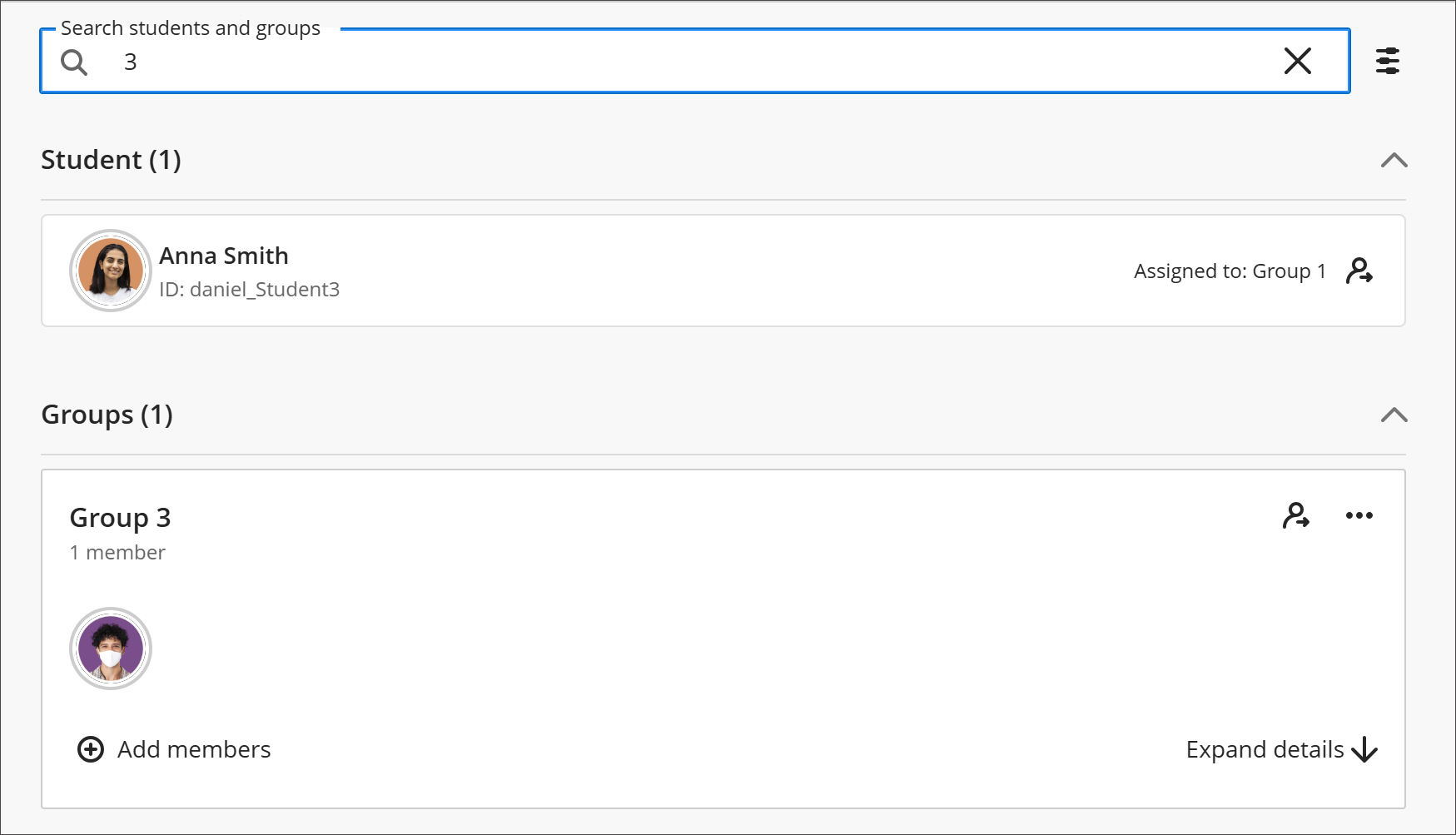
- Filter mixed results. When a search returns both students and groups, instructors can filter the results to show only students or only groups.
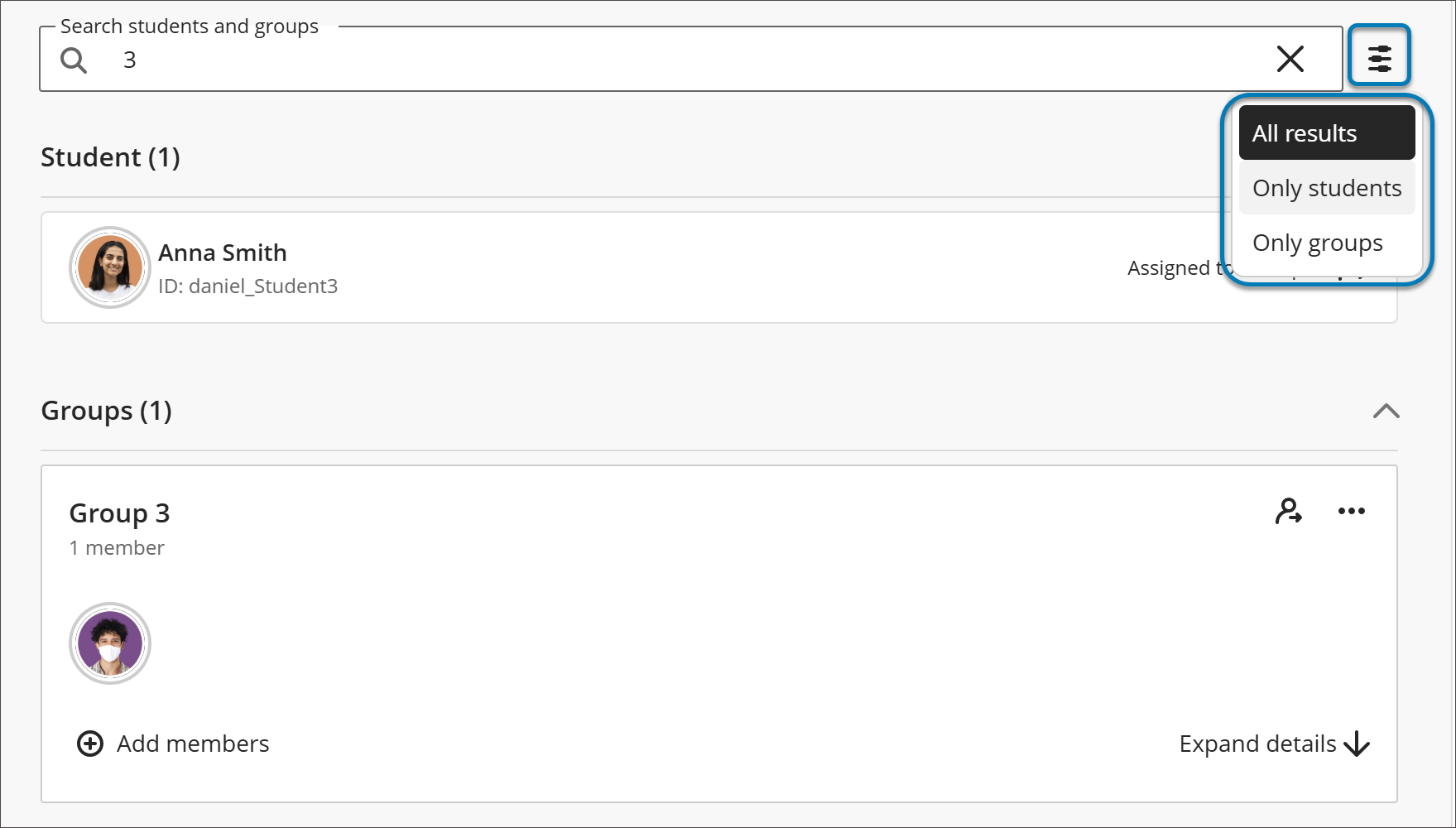
Searching continues to match based on first name, last name, and student ID, as it did before.
Print and download rubrics
Instructors can now print blank and scored rubrics or download them as PDFs using the browser’s print dialog. Printed rubrics support offline grading and student feedback.
Instructors
To print a blank rubric, on the Course Rubrics page, select the ellipsis menu on a rubric and select Print. Instructors can also open a rubric from the Course Rubrics page and select the Print icon. The browser’s print dialog opens with a printer-friendly version of the rubric that shows its criteria and levels without scores. From the print dialog, instructors can print the rubric or save it as a PDF.
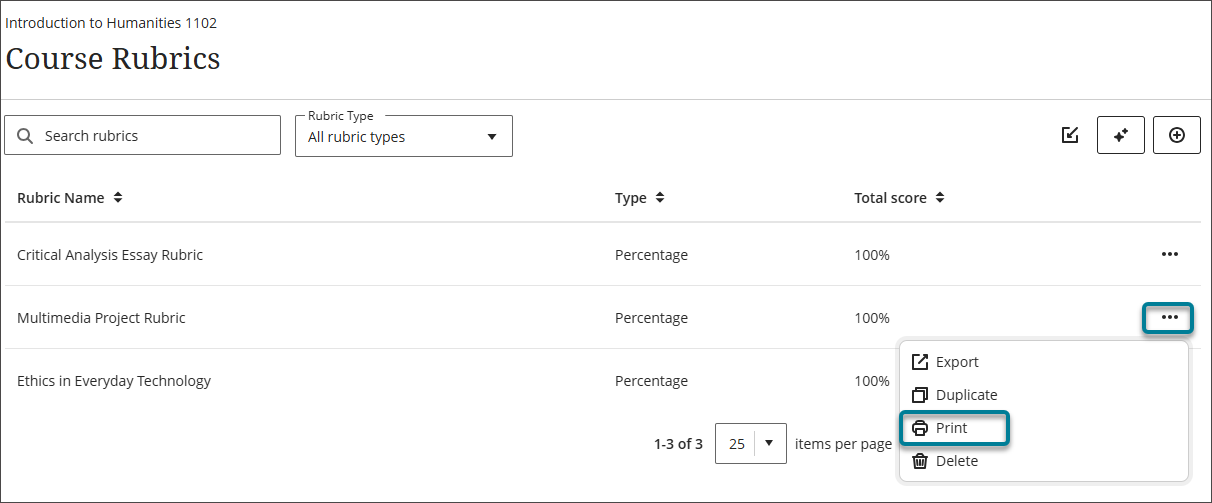
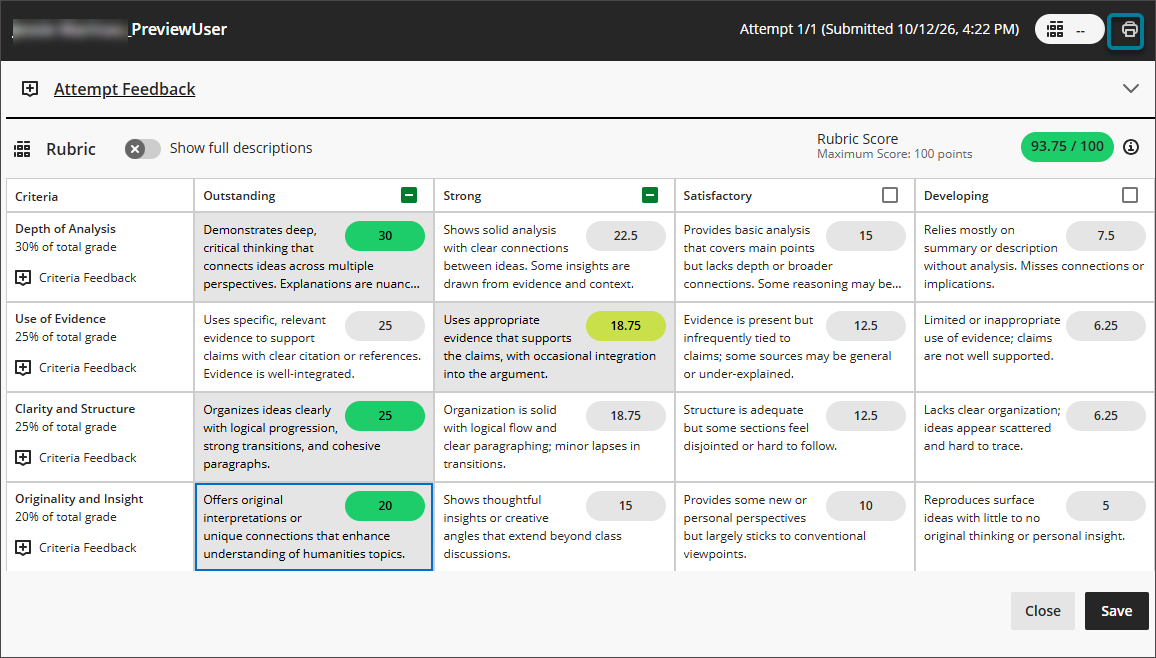
Instructors can print scored rubrics for any activity graded with a rubric.
For assignments and tests in flexible grading, in the pop-out rubric view, the Print icon is enabled once the instructor makes at least one selection in the rubric. Select Print to open the browser’s print dialog, where instructors can print the scored rubric or save it as a PDF.
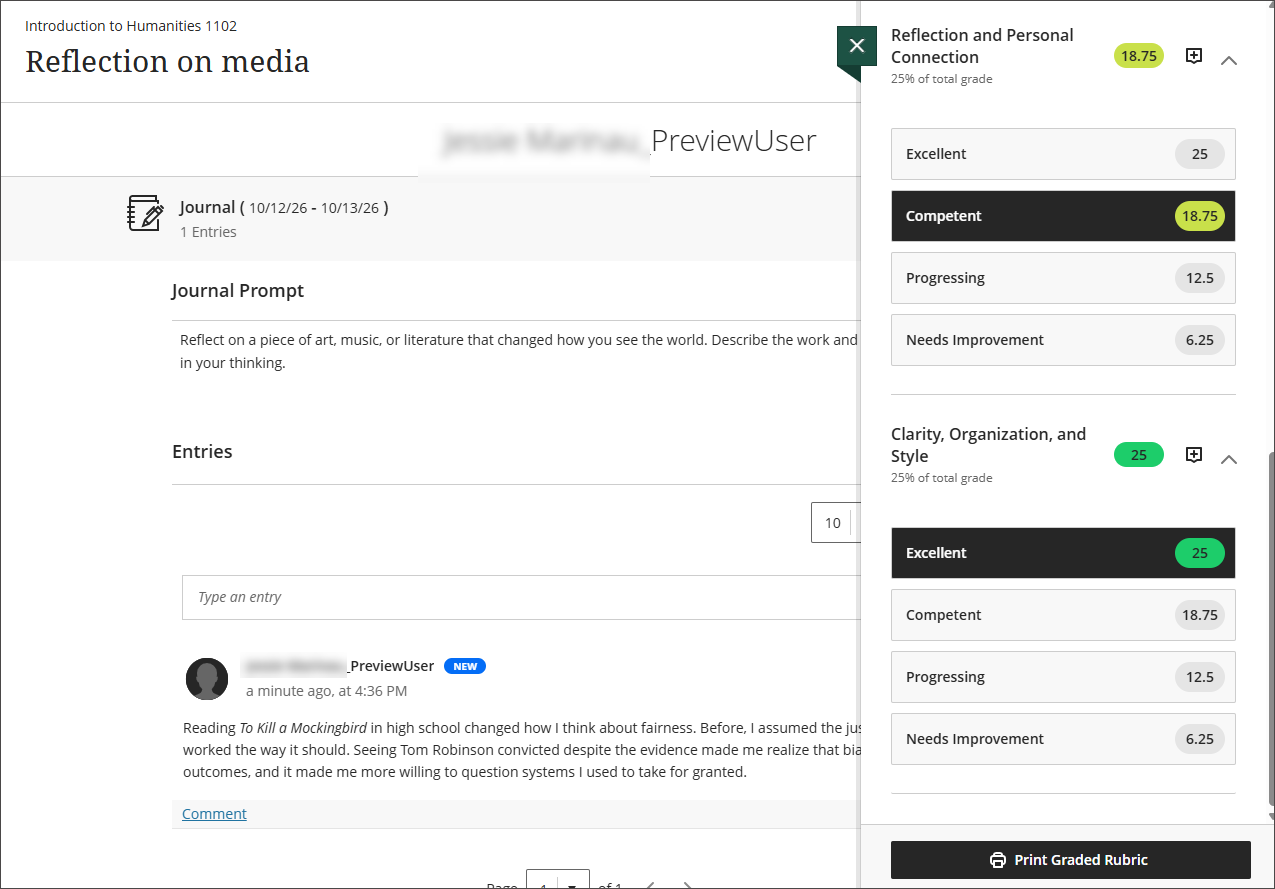
For journals and discussions, the Print Graded Rubric button appears at the bottom of the Rubric Details panel while grading. The button is enabled once the instructor makes at least one selection in the rubric. Select Print Graded Rubric to open the browser’s print dialog, where instructors can print the scored rubric or save it as a PDF.
Submit in-progress attempts on behalf of students
Instructors can now submit a student’s in-progress assignment or test attempt from the Submissions page and document the reason as part of the workflow. To provide a clear record, the submission receipt and the submission review show the name of the instructor who submitted the attempt, the reason provided, and the date.
Instructors
On the Submissions page for an assignment or test, select the ellipsis menu for a student whose status is Draft saved, then select Submit draft attempt. Enter the reason for the submission, then select Submit.
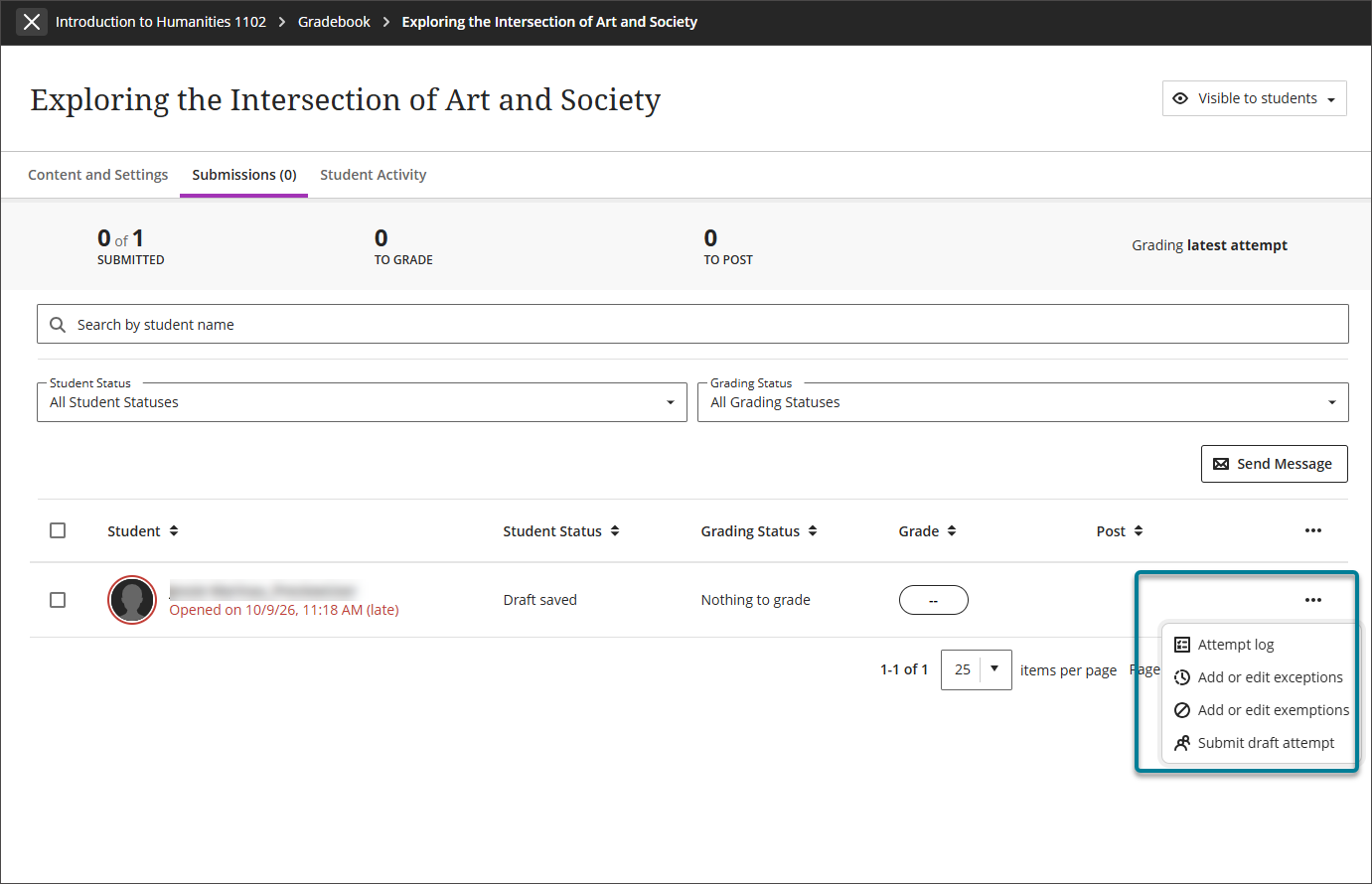
Instructors can also submit draft attempts for anonymously graded assessments. In the gradebook, open the student overview, select the ellipsis menu for the assessment, then select Submit draft attempt.
When instructors look up the submission receipt in the gradebook, the receipt shows the name of the instructor who submitted the draft attempt, the reason provided, and the date.
Students
When an instructor submits a draft attempt on a student’s behalf, the student’s emailed submission receipt and submission review show the name of the instructor who submitted the attempt, the reason provided, and the date.
Use AI Writing Tools in overall feedback
Instructors can now use AI Writing Tools when writing overall feedback in flexible grading.
AVA needs to be enabled to be used. Please click on this link and complete the form.
Instructors
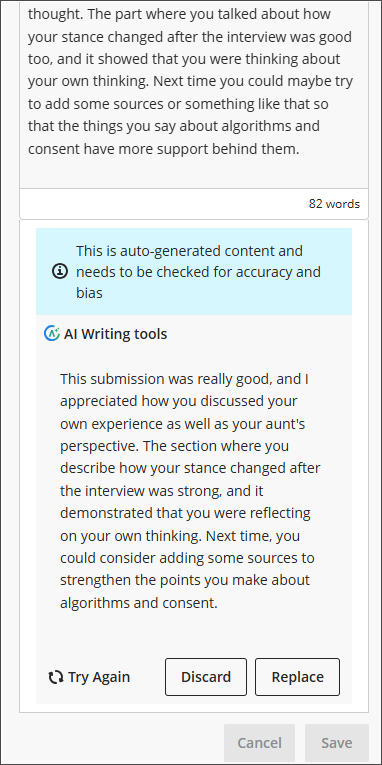
In flexible grading, enter feedback in the Overall Feedback section, then select AI rewrite icon under AI Writing Tools. AVA generates a rewritten version of the feedback below the editor, along with a notice that the content is auto-generated and needs to be checked for accuracy and bias.
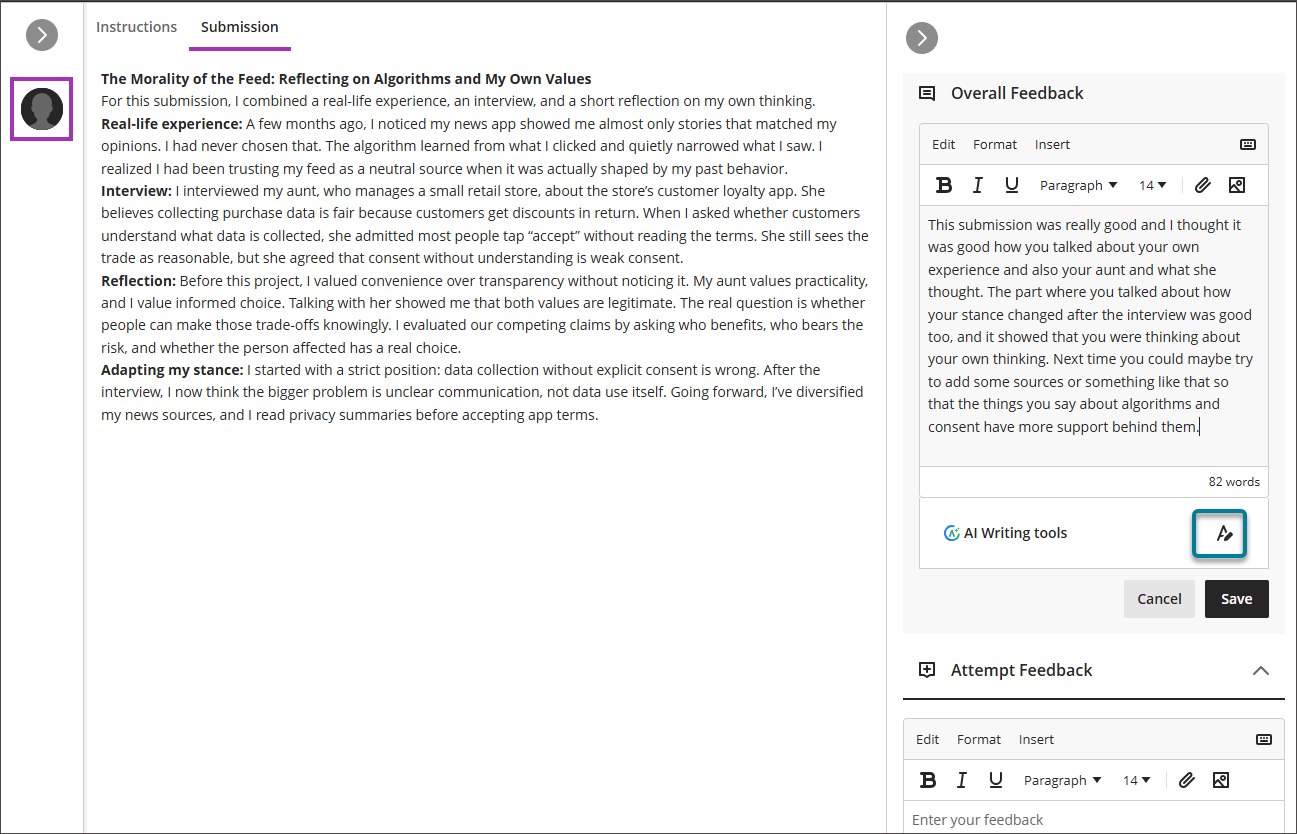
After reviewing the rewritten feedback, instructors can choose one of the following options:
- Replace: replaces the original feedback with the rewritten version.
- Discard: keeps the original feedback and removes the rewritten version.
- Try Again: generates a new rewrite.
Instructors must select Replace or Discard before they can save the feedback.