How to download a graded paper from a Turnitin Assignment
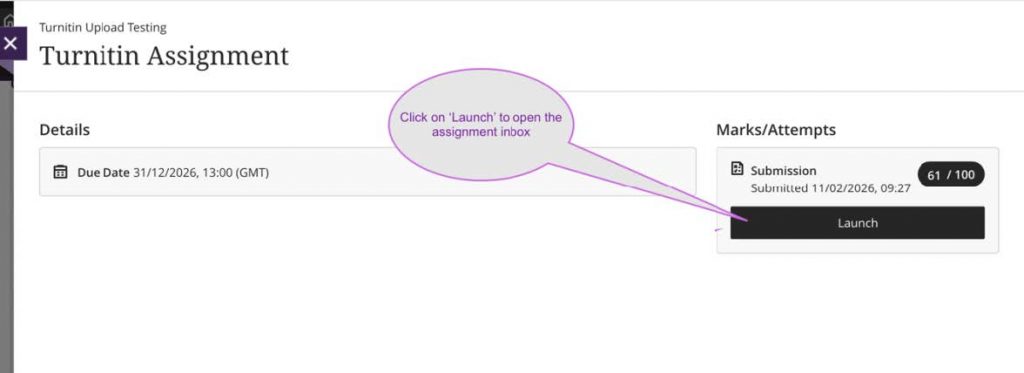
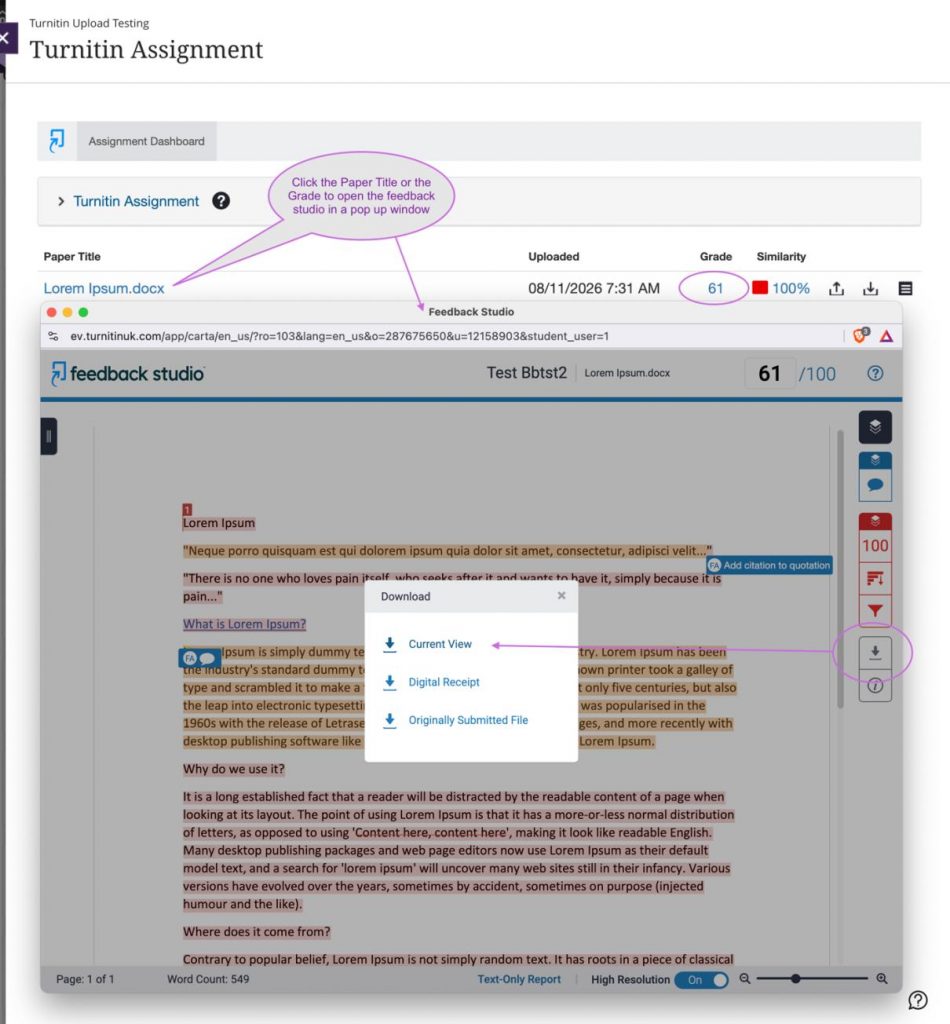
To download a graded paper from Turnitin, open your assignment inbox and click on your grade or the paper title to launch the Feedback Studio. Click the download icon (down arrow) in the right-hand panel, then select ‘Current View’ as in the following example:
University of Westminster
309 Regent Street, London W1B 2UW
General enquiries: +44 (0)20 7911 5000
Course enquiries: +44 (0)20 7915 5511
The University of Westminster is a charity and a company limited by guarantee. Registration number: 977818 England